Skip to content

Together From First Touch to Closed Won.

Optik gives your team one place to decide who to go after, understand them, reach out, work the deal, and see what needs attention next. AI helps throughout, while your team stays in control.
Book a session
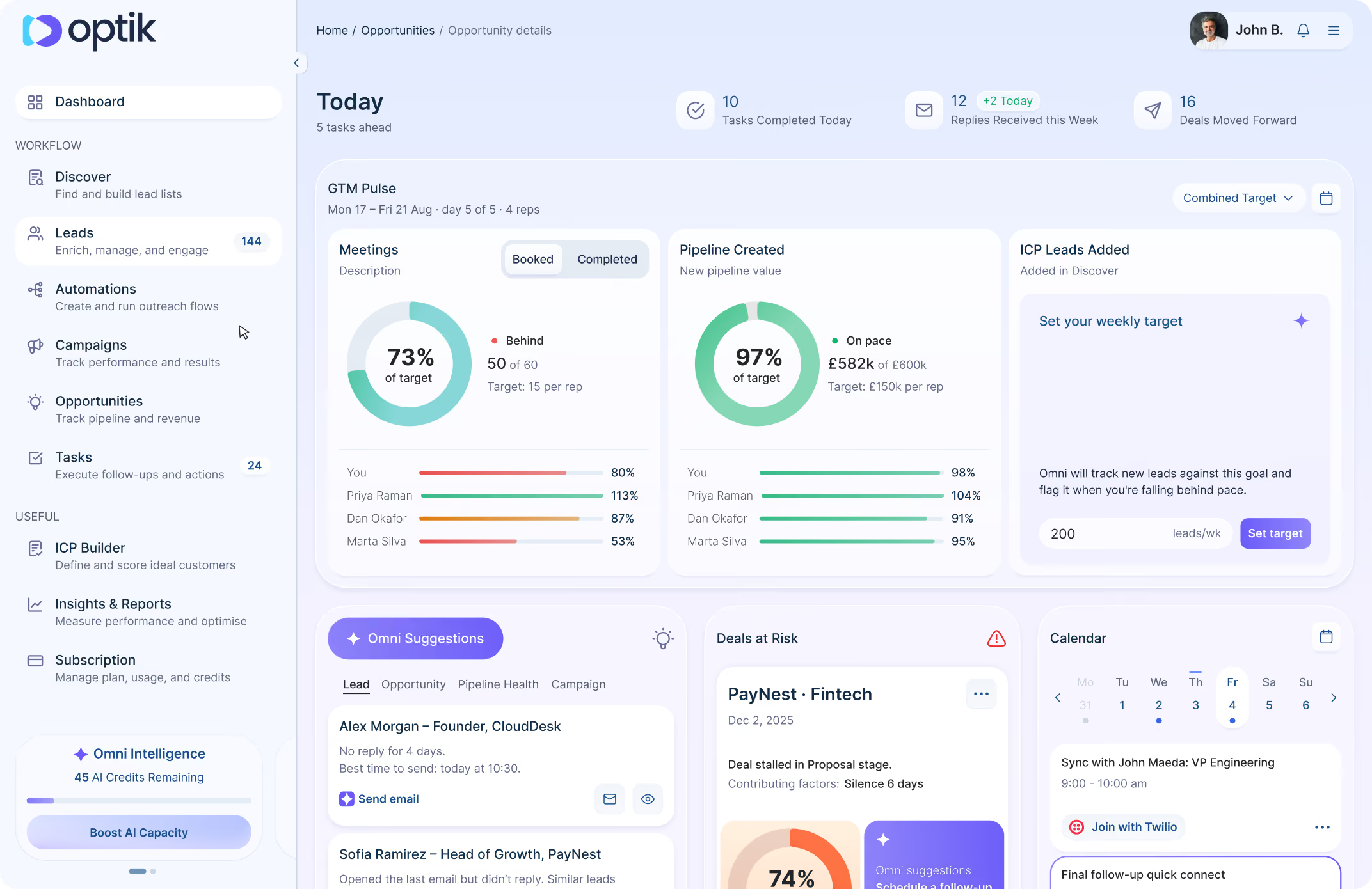
Optik dashboard interface showing today's tasks and GTM Pulse metrics including meetings booked at 73%, pipeline created at 97%, and ICP leads added with a weekly target setup. Sidebar includes navigation for Workflow, Discover, Leads, Automations, Campaigns, Opportunities, Tasks, ICP Builder, Insights & Reports, Subscription, and Omni Intelligence with 45 AI credits remaining. The main panel features task completion stats, deal risk overview, calendar sync with John Maeda, and Omni Suggestions for leads and opportunities.

Focus for Today

See the tasks, replies, meetings, and deals that need your attention.

Deals at Risk

See which opportunities are slowing down before another week disappears.

Omni Suggestions

Get the signal and something useful to do with it.

The Optik Motion

From ICP to Closed Won, in One Place.

Work stays connected as it moves. Start with who to sell to, find and prioritise the right people, keep that context through the deal.

01
ICP Builder

Start With Who You Actually Want to Sell To.

Define what a good customer looks like, from the company to the buyer.
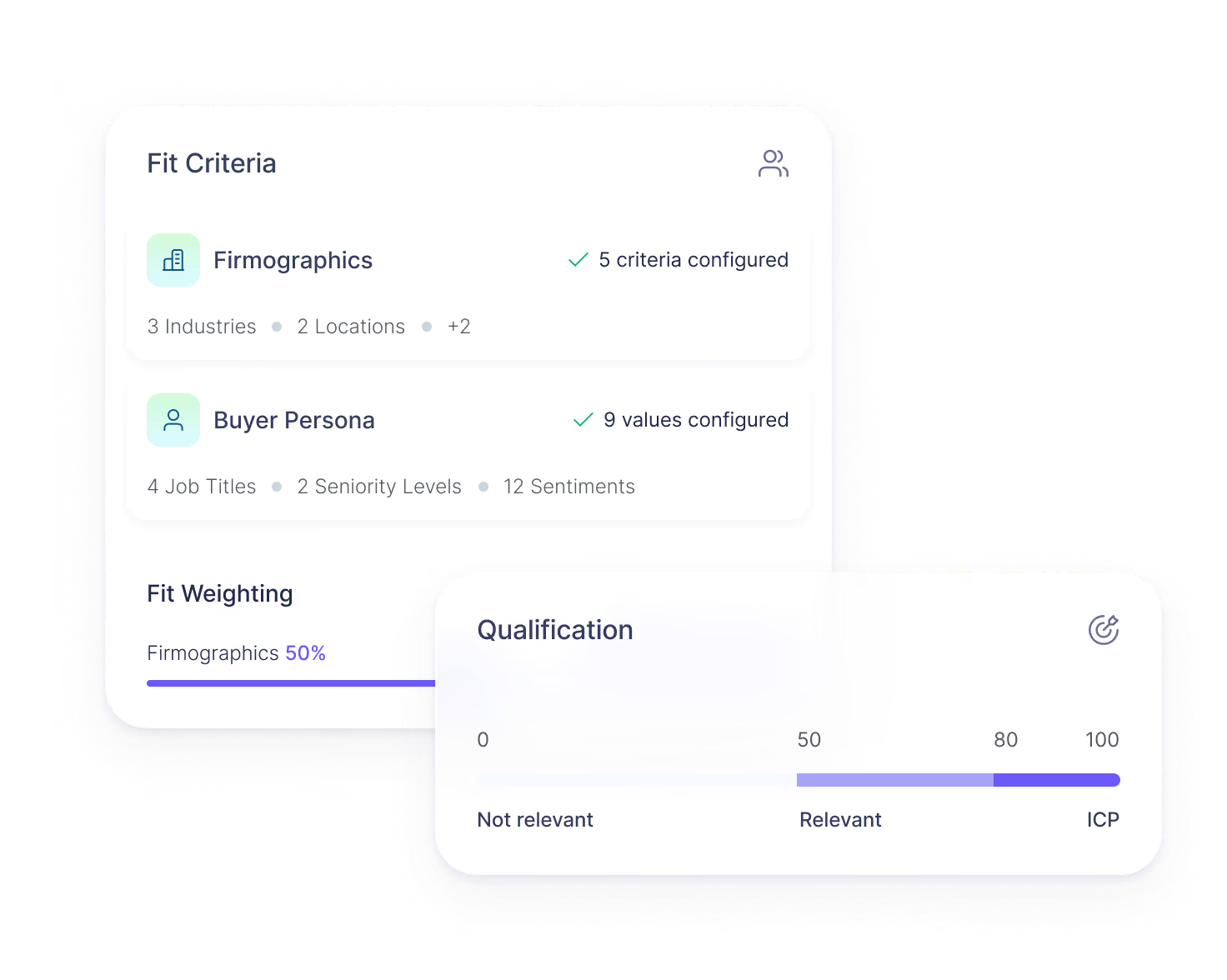
User interface showing Fit Criteria with Firmographics and Buyer Persona sections, indicating 5 criteria and 9 values configured respectively, and Fit Weighting at 50%. Qualification bar chart ranges from Not relevant to ICP, highlighting scores near 100.

Set the firmographics, signals, roles, and other things that matter to your team, then score them based on how important they are.
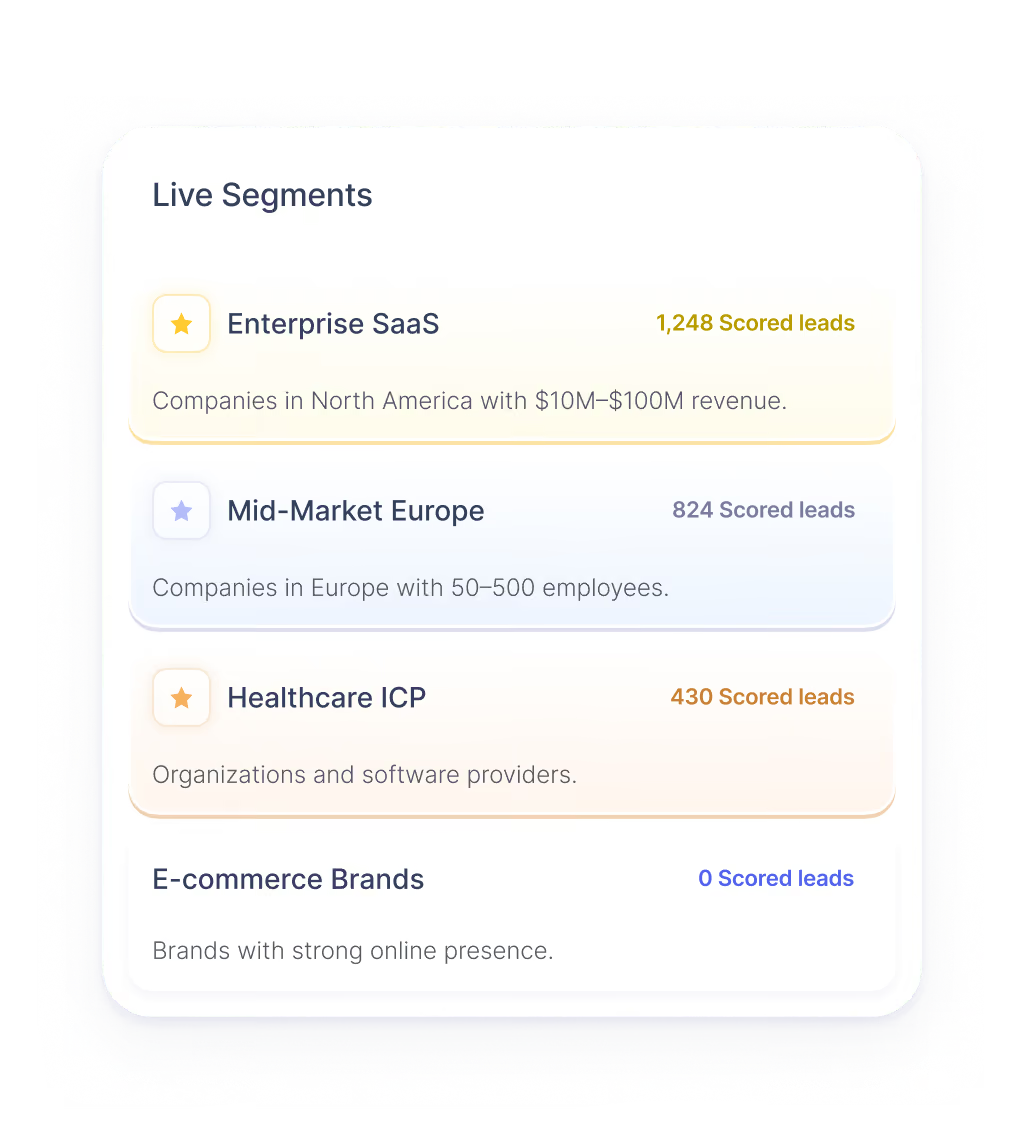
A Live Segments panel listing four categories of scored leads: Enterprise SaaS with 1,248 leads for North American companies with $10M-$100M revenue, Mid-Market Europe with 824 leads for European companies with 50–500 employees, Healthcare ICP with 430 leads for organizations and software providers, and E-commerce Brands with 0 leads for brands with strong online presence.

Save it as a live segment that can keep refreshing instead of rebuilding the same static list later.

02
Data & Enrichment

Build the List Without Leaving the Workflow.

Find the accounts and people that fit, then fill in what you need to work them.
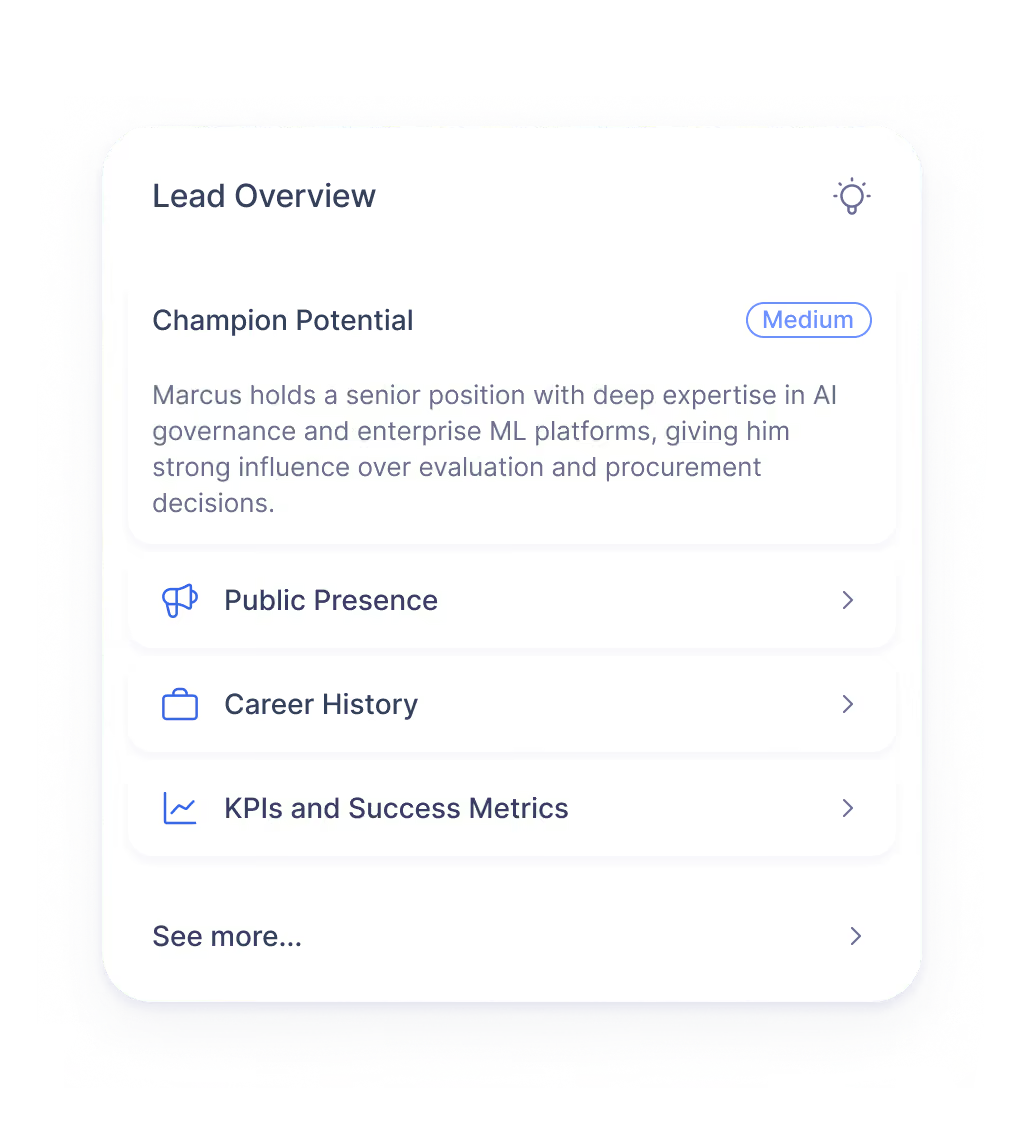
Lead Overview panel showing Champion Potential rated Medium with description about Marcus's expertise in AI governance and enterprise ML platforms influencing evaluation and procurement decisions, and menu options for Public Presence, Career History, KPIs and Success Metrics, and See more.

Optimize

Turn a name into useful context: who they are, what they are responsible for, what is happening at the company, and what may make the conversation relevant.
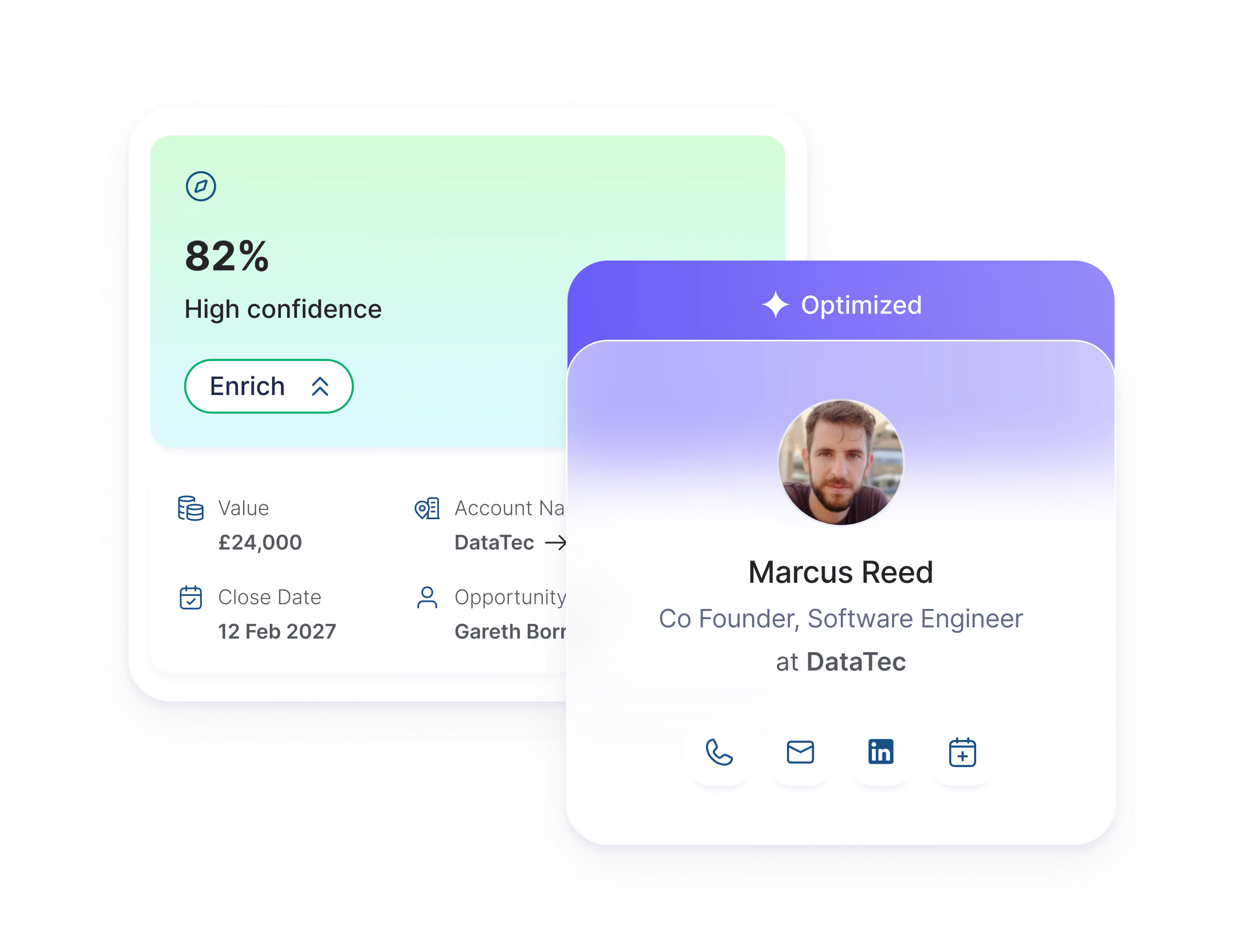
Two overlapping digital cards; the left card shows 82% high confidence with an enrich button, £24,000 value, close date of 12 Feb 2027, account name DataTec, and opportunity owner Gareth Born. The right card labeled Optimized features a profile photo of Marcus Reed, Co Founder and Software Engineer at DataTec, with icons for phone, email, LinkedIn, and calendar below.

Verified contact data, company information, and research come into Optik around the account, without exporting a list, cleaning it somewhere else, and importing it again.

03
Prioritisation

Know Who Is Worth Working First.

A list of 200 accounts is not much use if the rep still has to figure out where to start.
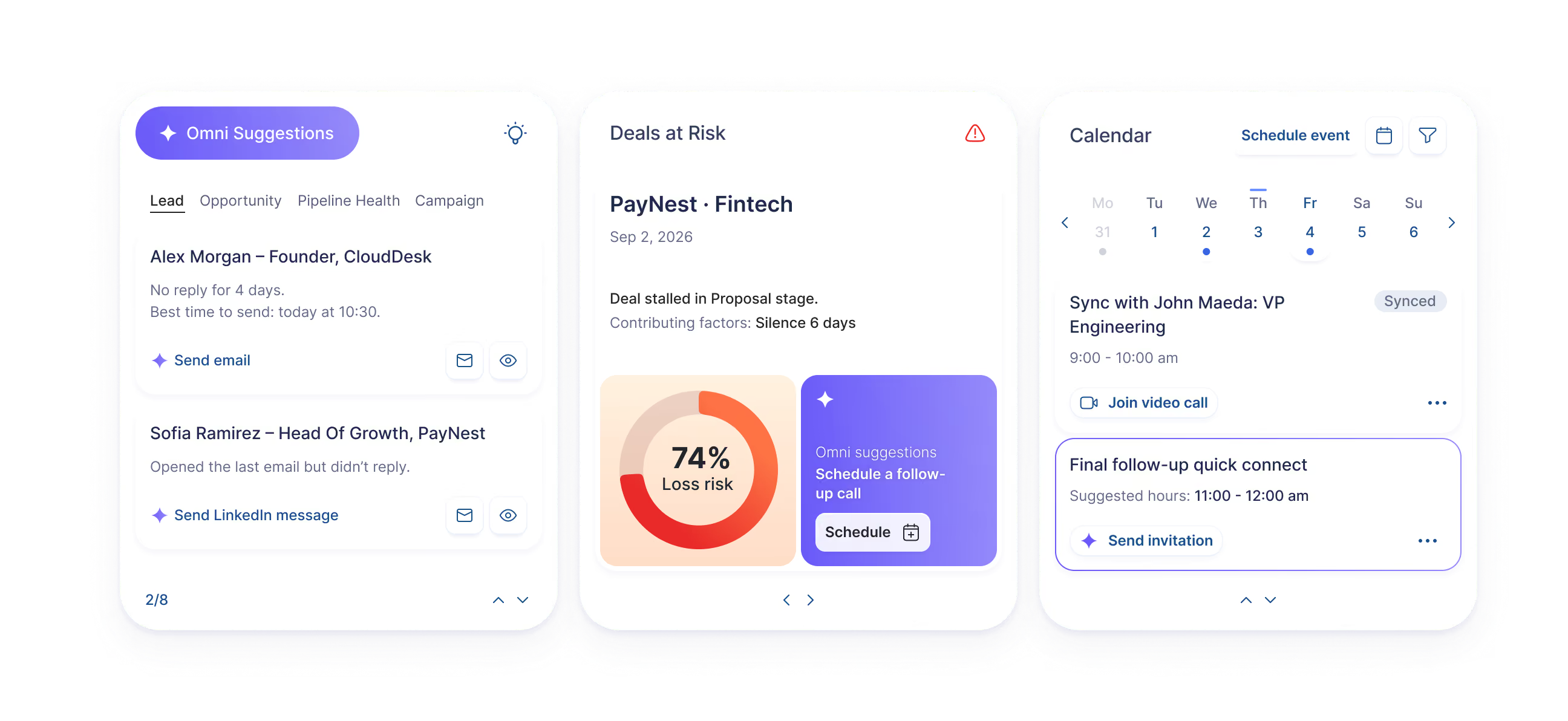
Three mobile app screens showing sales and calendar features: the first screen lists leads with options to send email or LinkedIn messages; the second screen shows a deal at risk with 74% loss risk and a prompt to schedule a follow-up call; the third screen is a calendar for early September with scheduled events including a video call and a follow-up connect invitation.

Optik uses your ICP, research, signals, fit, and timing to help rank the people worth looking at first. The rep opens to a clearer queue: who to contact, and why.

04
Outreach

Take the Context Into the Conversation.

The research doesn't stop at a profile. Calls, email, and LinkedIn can sit inside the same workflow, with the context already around the person.
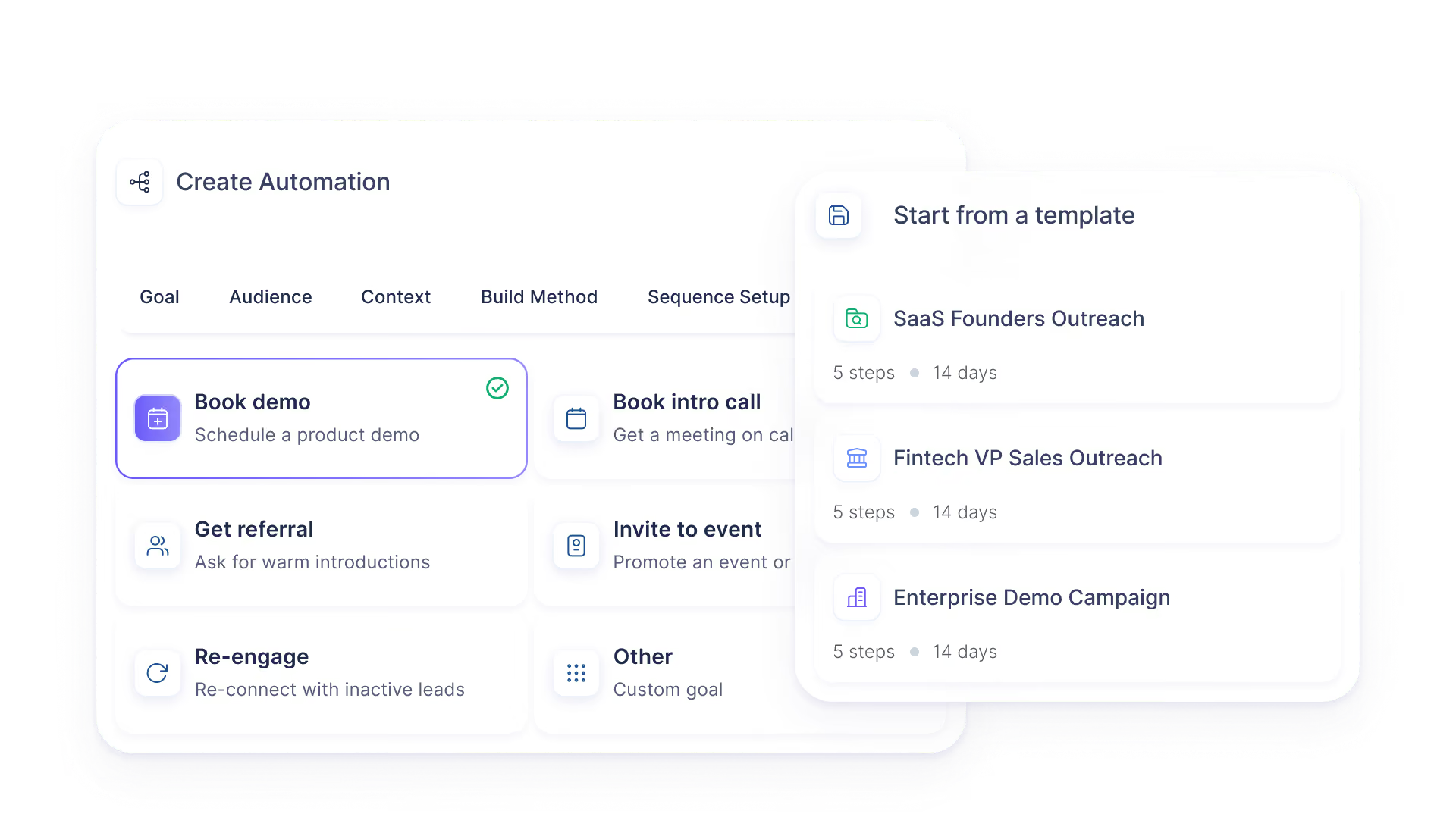
User interface for creating automation with tabs for Goal, Audience, Context, Build Method, and Sequence Setup. The Goal tab shows options like Book demo, Book intro call, Get referral, Invite to event, Re-engage, and Other, with Book demo selected. A pop-up on the right offers templates for SaaS Founders Outreach, Fintech VP Sales Outreach, and Enterprise Demo Campaign, each with 5 steps over 14 days.

Automations

Build repeatable outreach around the goal, the audience, your material, and the research Optik already has.
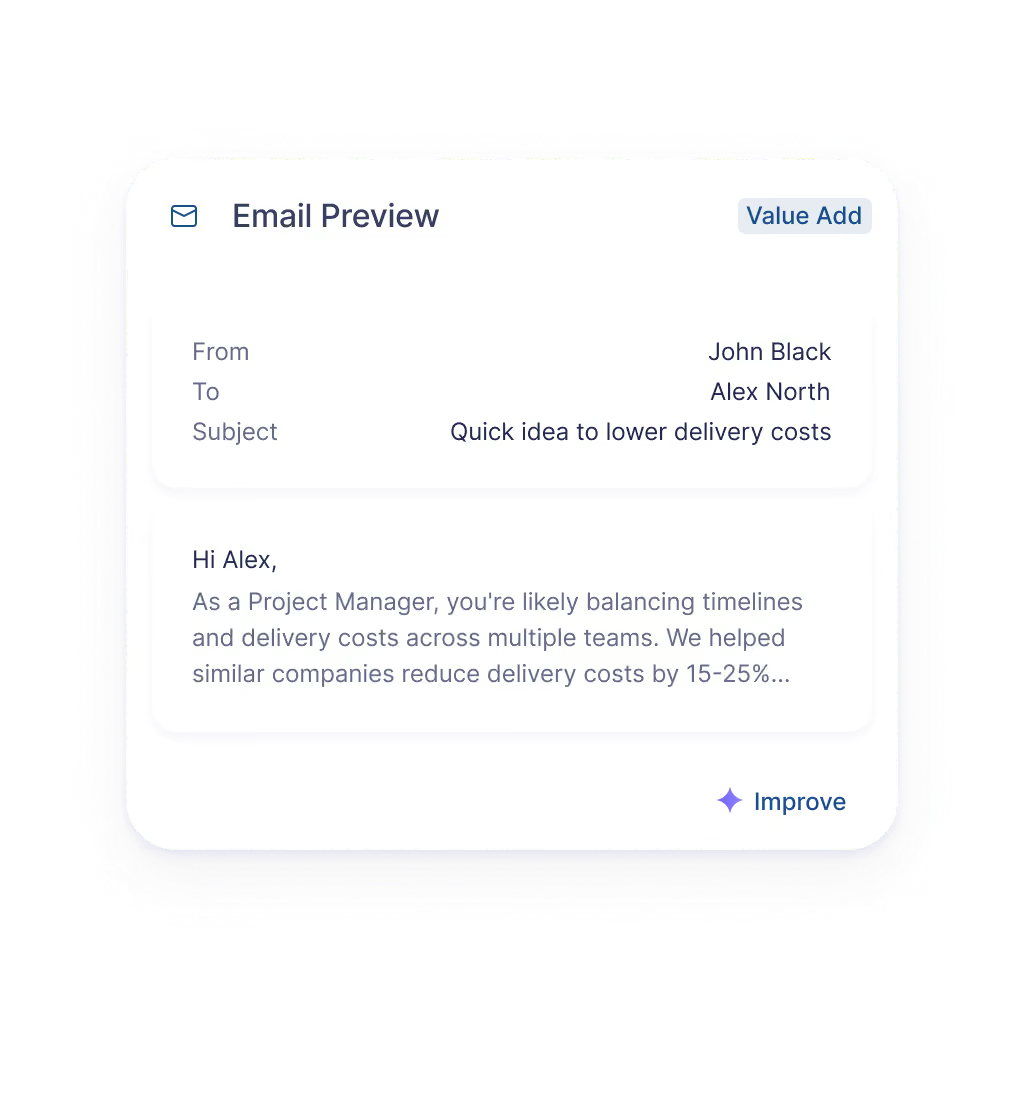
Email preview showing a message from John Black to Alex North with the subject 'Quick idea to lower delivery costs.' The email body starts with a greeting to Alex and mentions balancing timelines and delivery costs across teams, noting that similar companies reduced delivery costs by 15-25%.

Email

Start with what Optik already knows about the person instead of  the same template everyone else is sending.
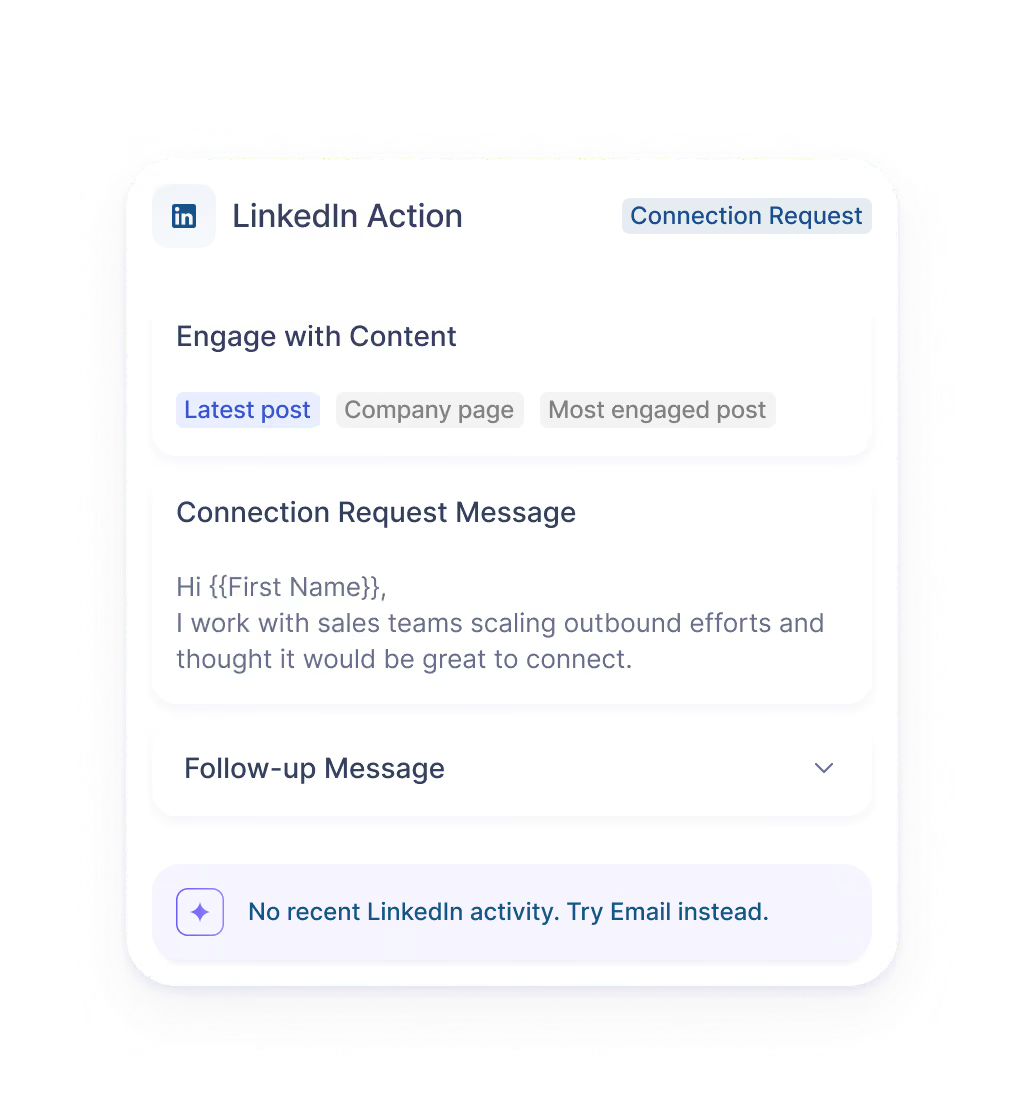
User interface showing a LinkedIn Action panel with sections for engaging with content where 'Latest post' is selected, a Connection Request Message with a personalized greeting template and message about working with sales teams scaling outbound efforts, a collapsible Follow-up Message section, and a note stating 'No recent LinkedIn activity. Try Email instead.'

LinkedIn

Use the research to help draft the message and keep LinkedIn inside the sequence.
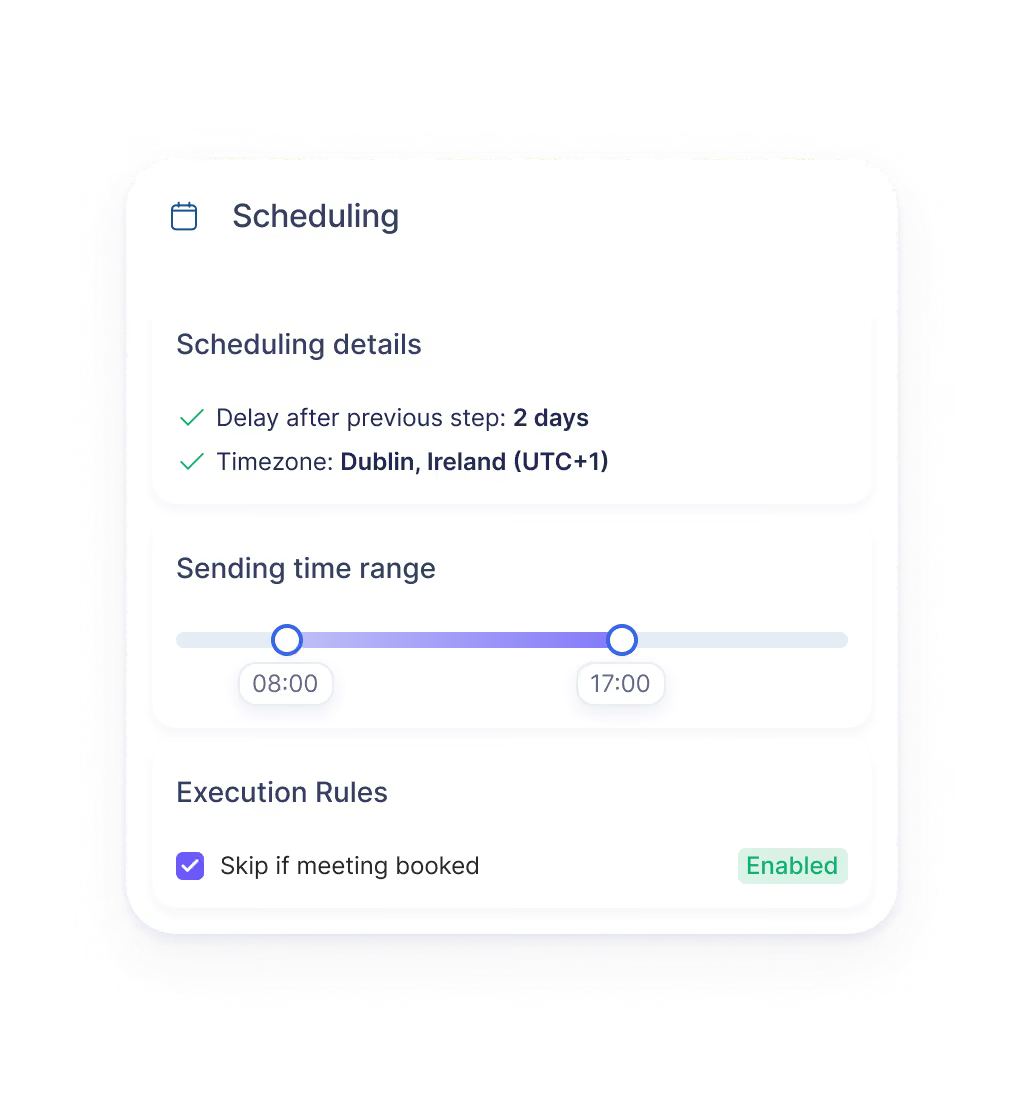
Scheduling interface showing scheduling details with a 2-day delay after the previous step and timezone set to Dublin, Ireland (UTC+1). A sending time range slider is set between 08:00 and 17:00. Execution rule option to skip if meeting booked is enabled.

Scheduling & Follow-up

Book the next conversation, capture what happened, and keep the next step with the same lead.
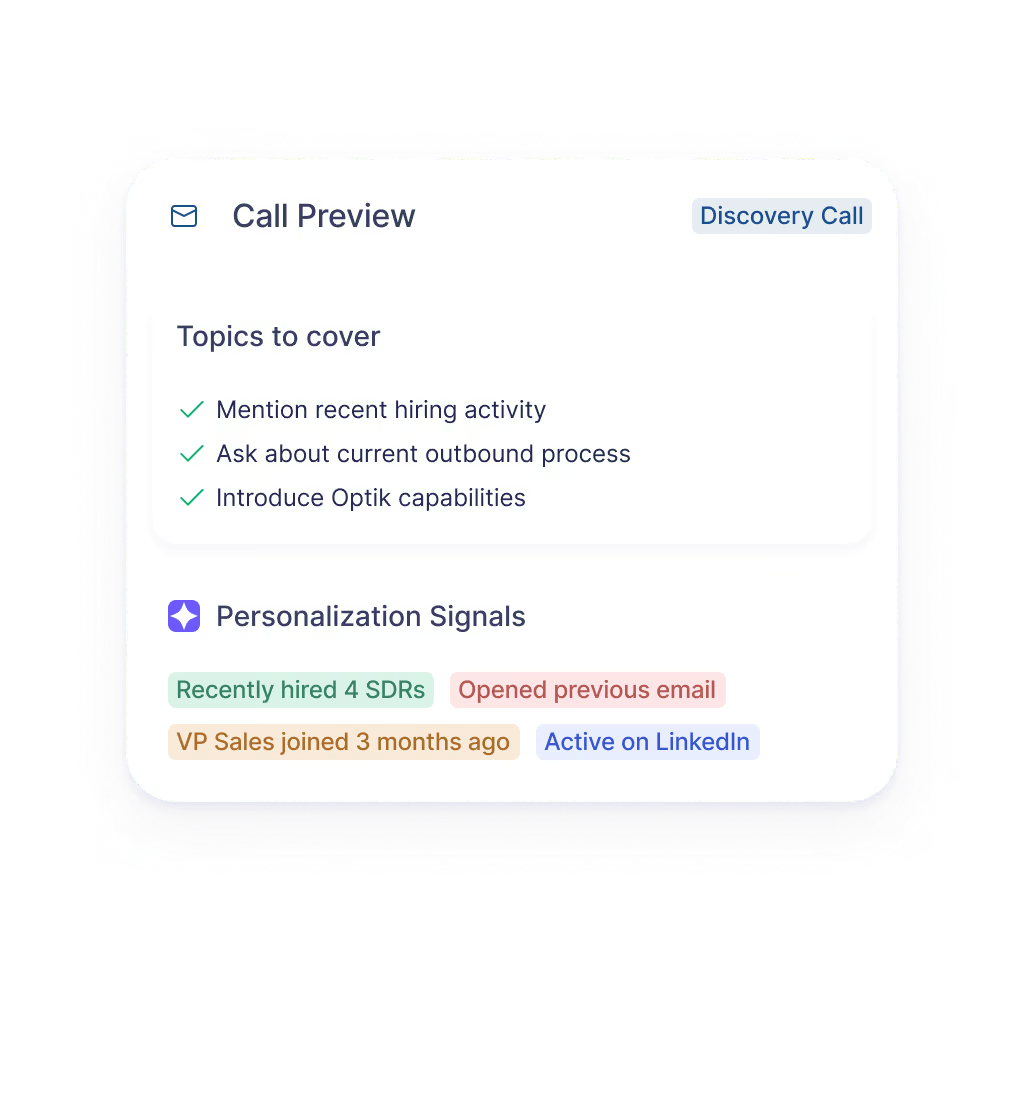
User interface showing a Call Preview for a Discovery Call with topics to cover: mention recent hiring activity, ask about current outbound process, introduce Optik capabilities. Below, Personalization Signals include: Recently hired 4 SDRs, Opened previous email, VP Sales joined 3 months ago, Active on LinkedIn.

Calling

Call from the lead record and keep the conversation attached to the account and opportunity.

05
Pipeline Management

Keep the Deal Moving.

When a lead becomes an opportunity, the work that got you there comes with it.

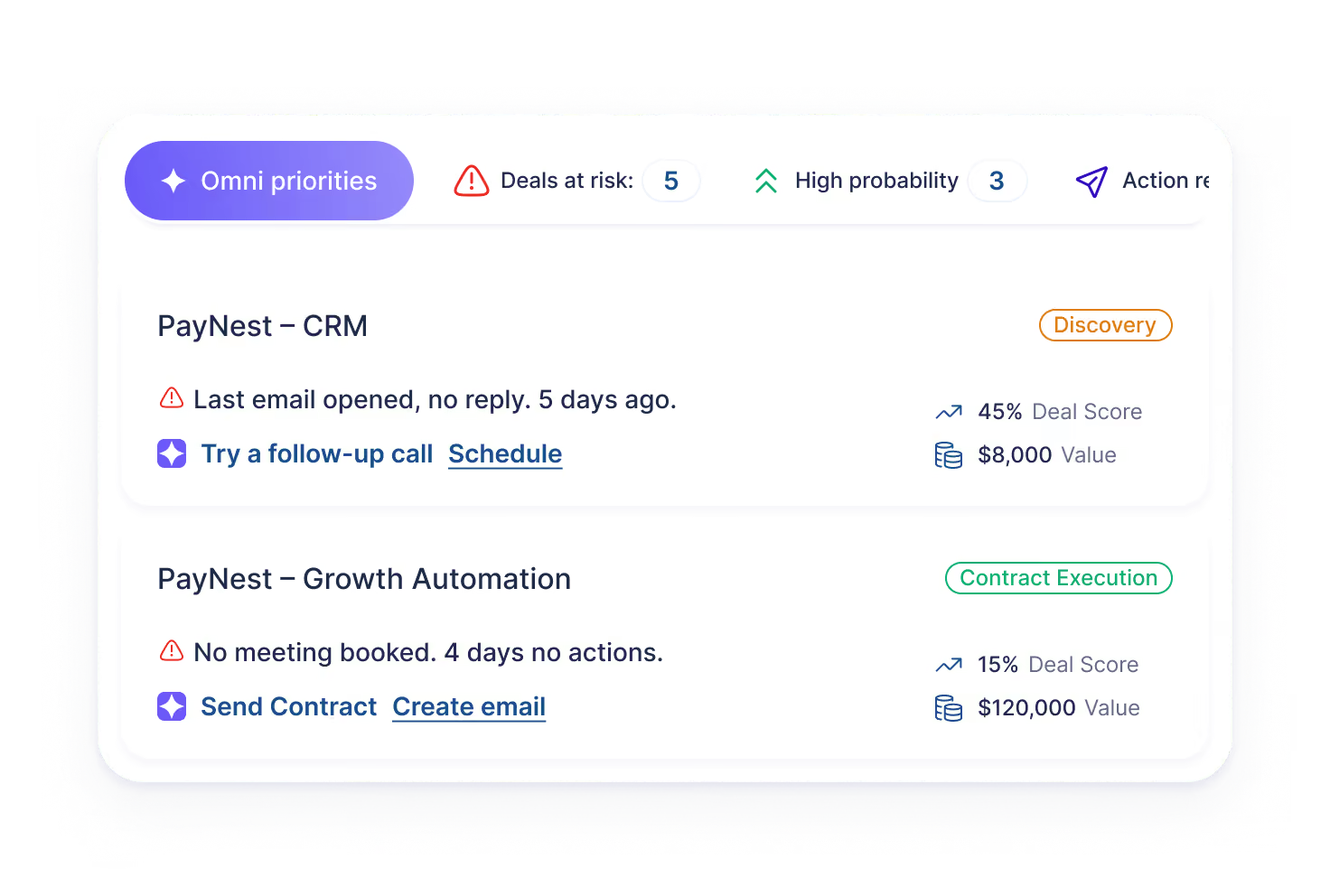
User interface showing sales priorities with two entries: PayNest - CRM, last email opened 5 days ago with no reply, deal score 45%, value $8,000, suggesting to schedule a follow-up call; PayNest - Growth Automation, no meeting booked for 4 days, deal score 15%, value $120,000, offering options to send contract or create email. Indicators include 5 deals at risk, 3 high probability, and an action required button.

Opportunities

Keep the contacts, conversations, notes, activity, stage, and next steps around the deal.
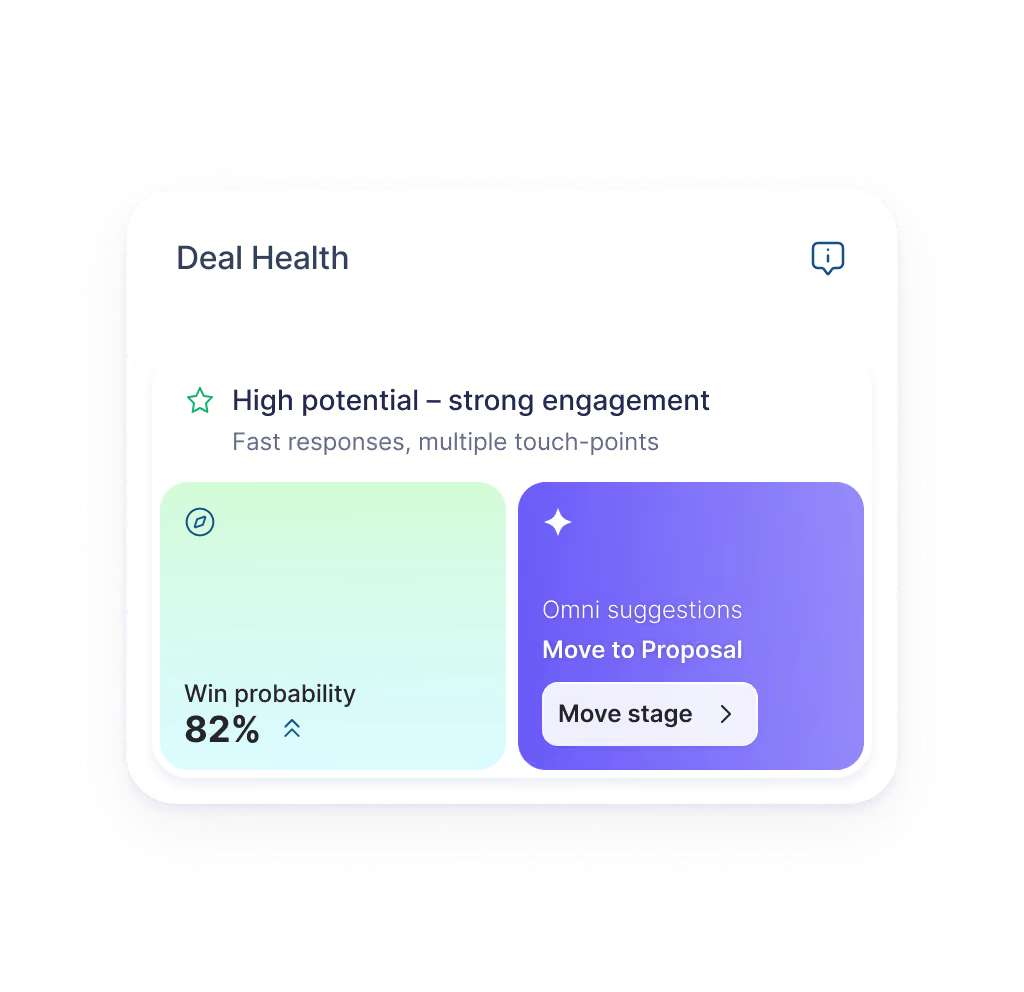
Deal Health card showing deal status as high potential with strong engagement, fast responses, and multiple touch-points. Win probability is 82%. Omni suggestions recommend moving the stage to Proposal, with a clickable Move stage button.

Deal Health

See what is progressing, what has gone quiet, and where the activity around a deal no longer matches the plan.
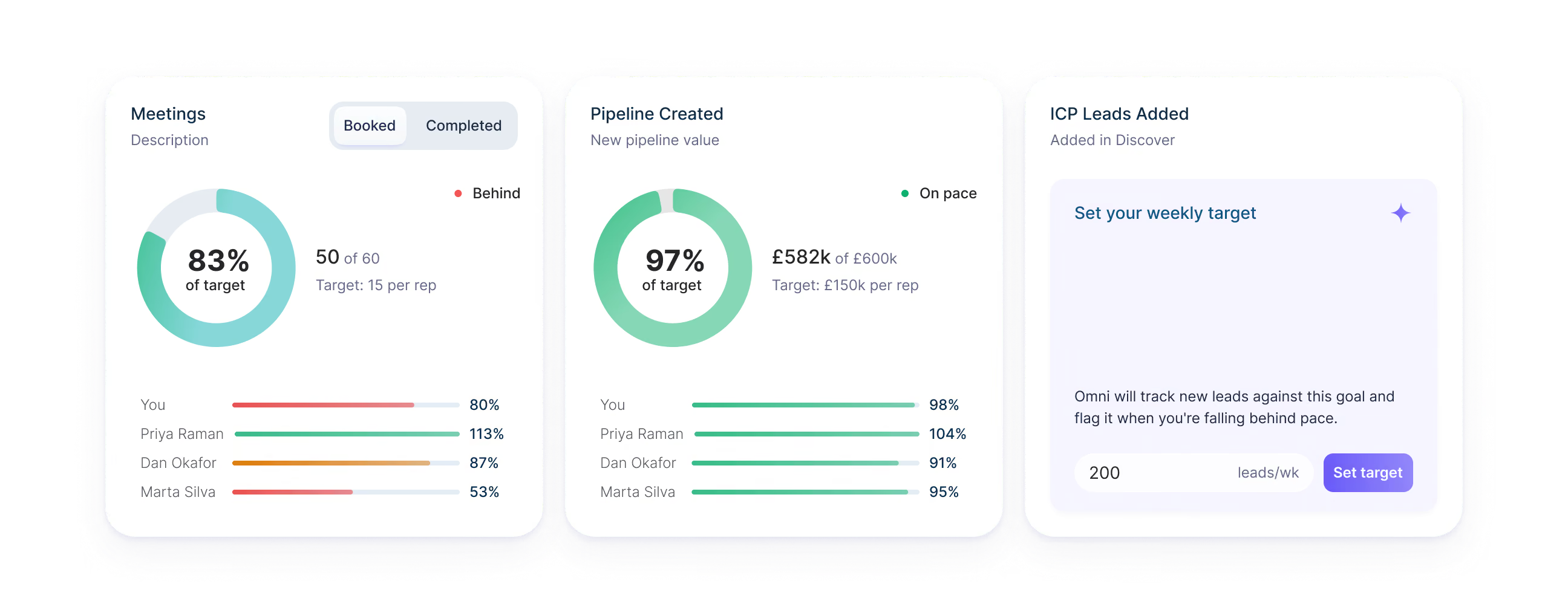
Dashboard showing three sections: Meetings progress with 83% of target completed, booked 50 of 60 meetings with target of 15 per rep and individual performance bars for four people; Pipeline Created with 97% of target reached at £582k of £600k and individual progress bars; ICP Leads Added section prompting to set a weekly target with input box set to 200 leads/week and a 'Set target' button.

Pipeline & Forecast

Because activity and pipeline live together, leaders see the number alongside what's happening underneath.

See What the Team Is Actually Working On.

Because the work happens in Optik, leaders and operations don't need everyone to recreate it somewhere else.
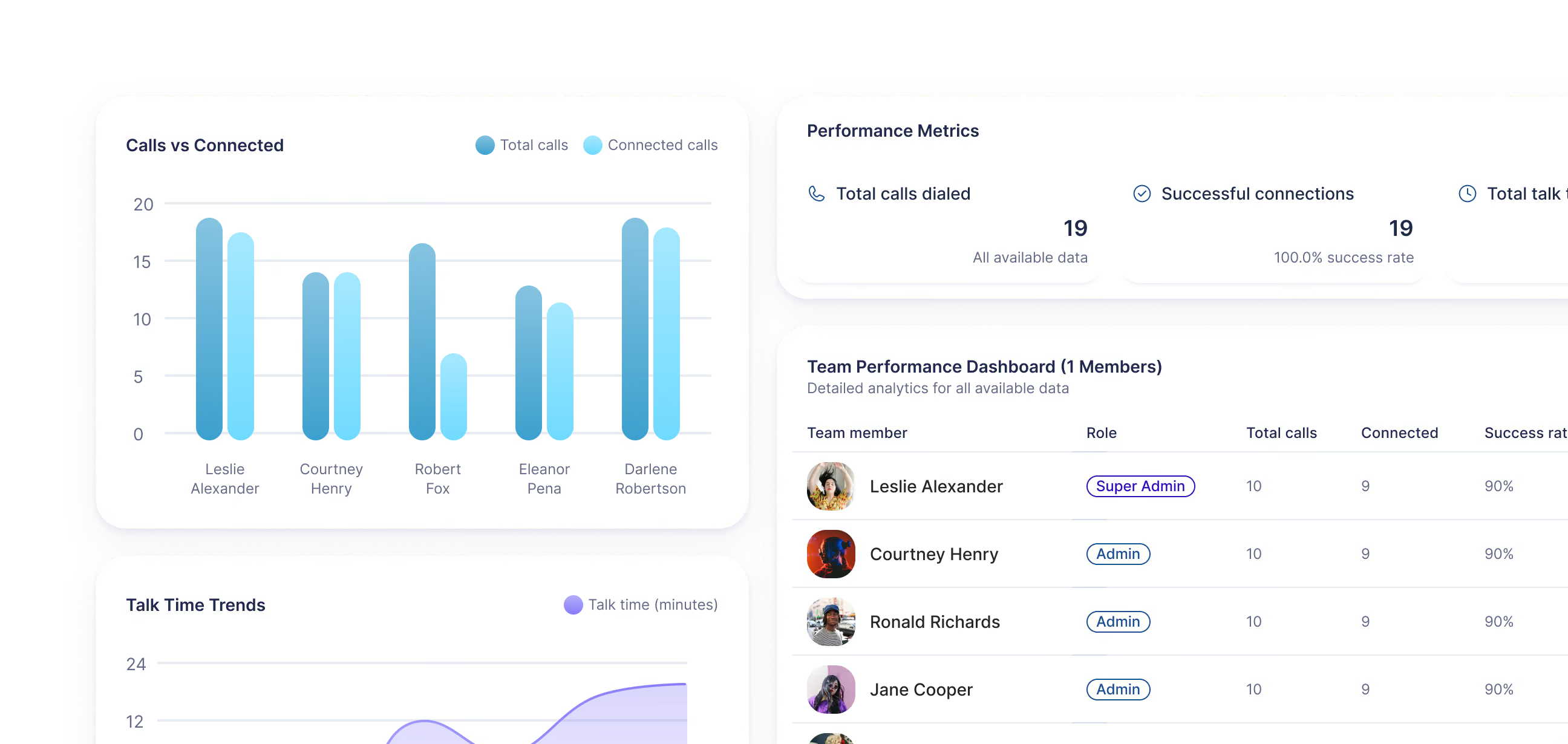
Dashboard showing team call performance with a bar chart of total vs connected calls for five team members, a performance metrics summary with total calls dialed and successful connections at 19 with 100% success rate, a talk time trends line graph, and a team performance table listing four members with roles, total calls, connected calls, and 90% success rate each.

Insights & Reports

See activity, pipeline, and outcomes from the work already happening in the platform.

Rep Activity

See what people are actually working on and where their time is going.

Coaching

Say you asked the team to target CEOs and someone's last five leads are CROs.

Who it’s for

Optik Was Built by People Who Carried a Quota and Designed to Keep You in Control.

The same platform should help a rep decide what to do today, a leader decide where to put their attention, and operations understand what is happening across the system.
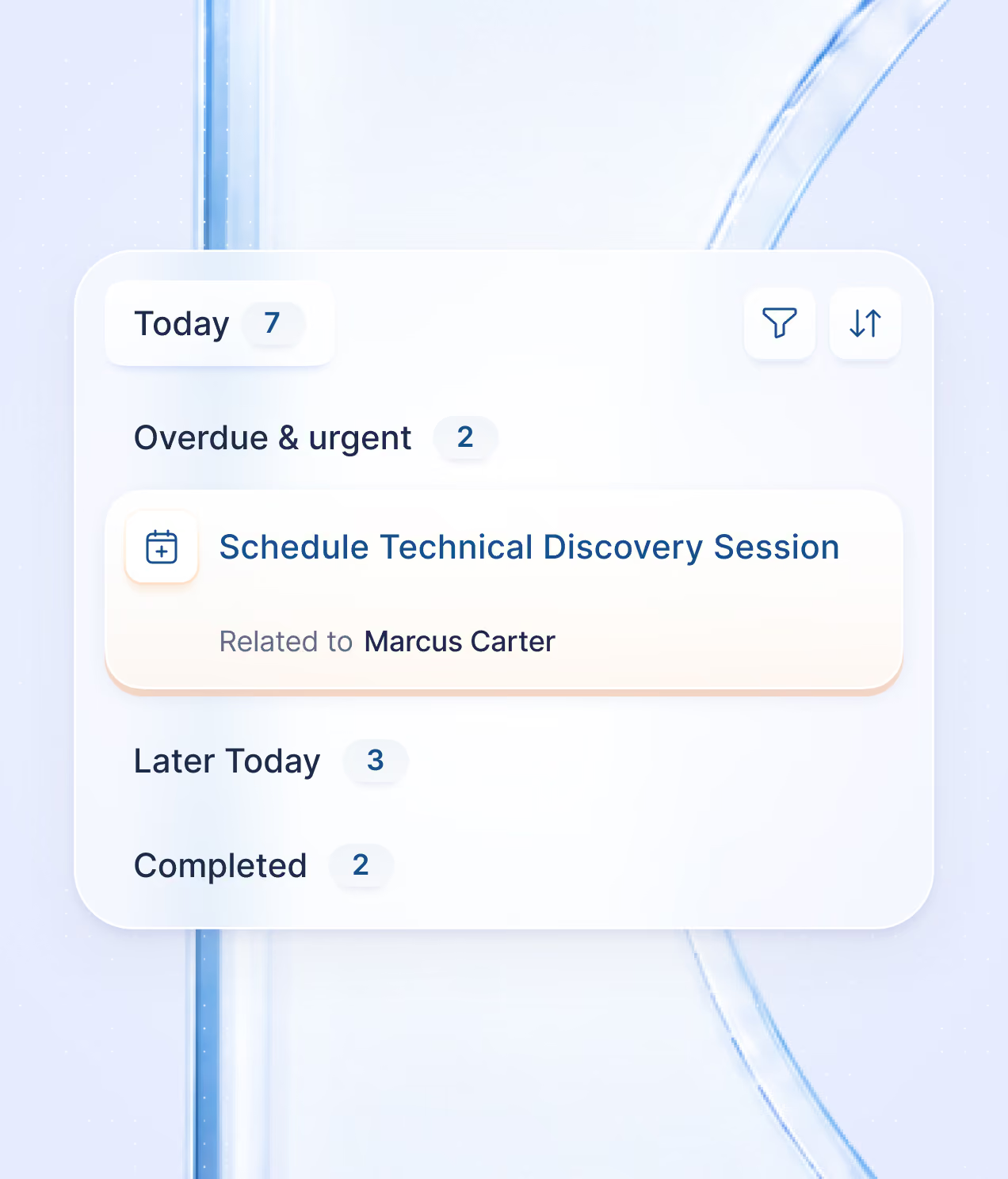
Task list interface showing Today with 7 tasks, Overdue & urgent with 2 tasks including 'Schedule Technical Discovery Session' related to Marcus Carter, Later Today with 3 tasks, and Completed with 2 tasks, with filter and sort icons.

Reps

Run the day from one place, with the decisions and relationships staying with you.
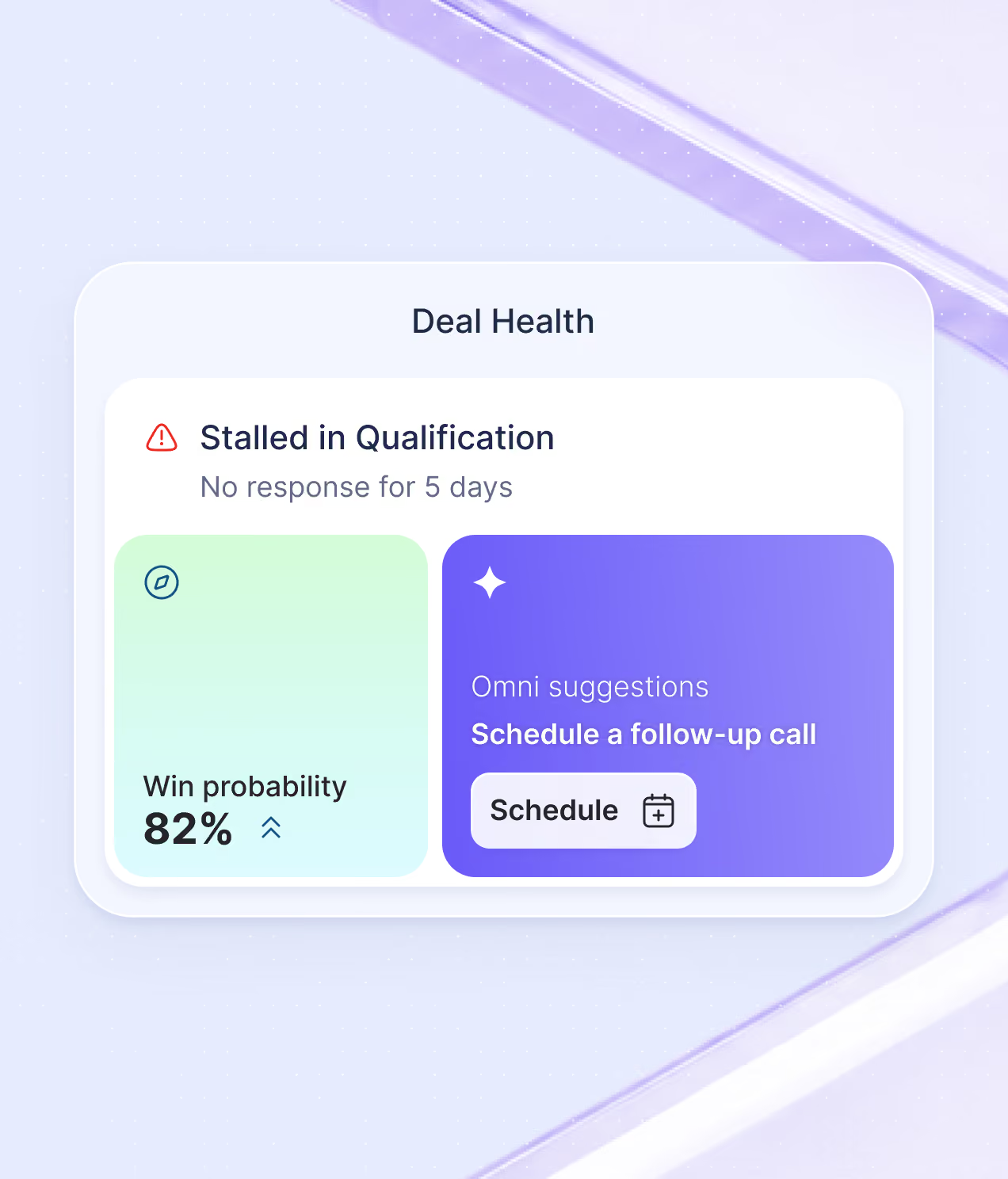
Deal Health panel showing a stalled qualification status with no response for 5 days, win probability at 82%, and an Omni suggestion to schedule a follow-up call with a schedule button.

Revenue Leaders

See which deals are moving, where they are stalling, and where the team needs attention.
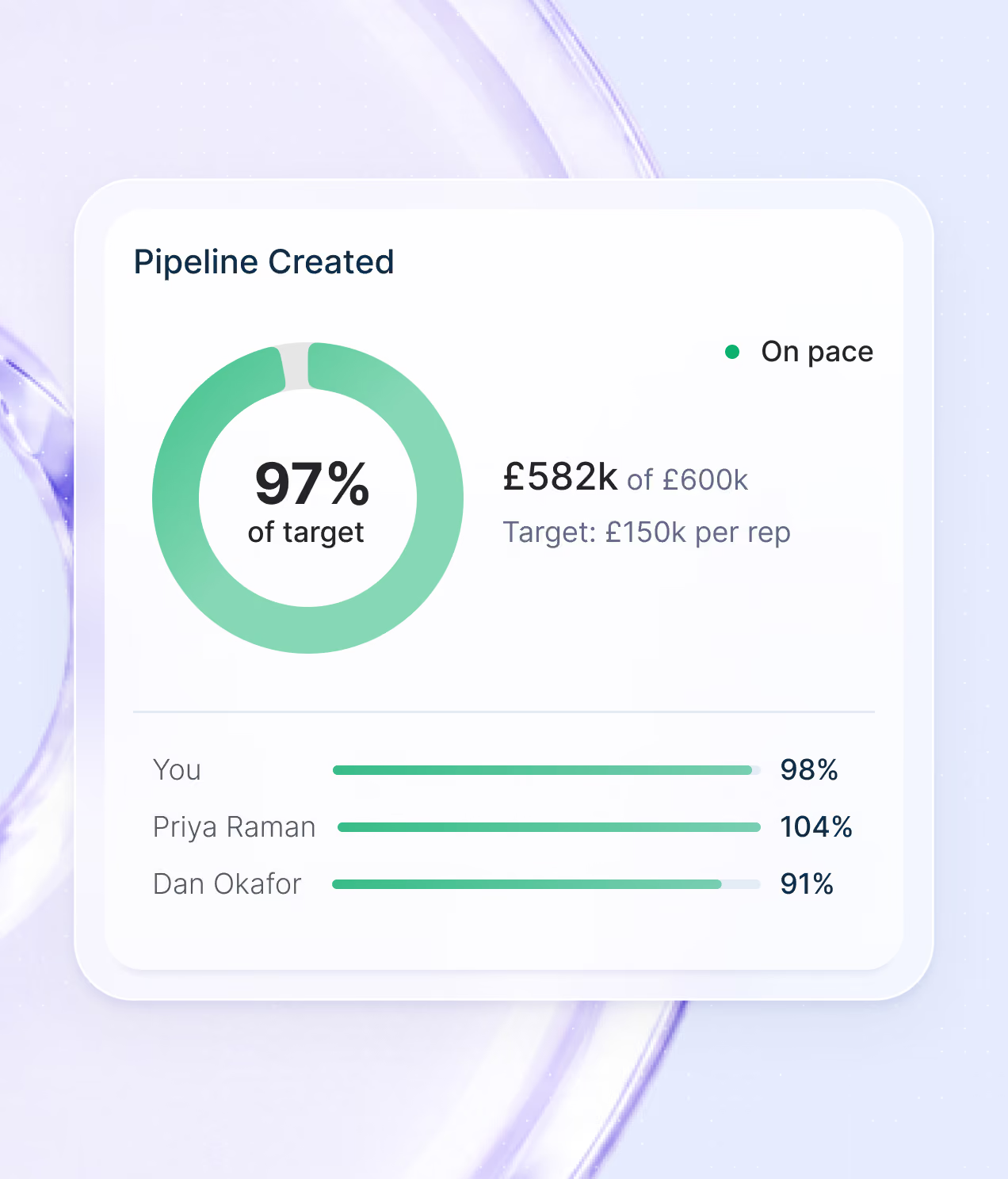
Dashboard showing pipeline created progress with a circular chart indicating 97% of target achieved, £582k of £600k, and a target of £150k per rep. A green dot indicates the pipeline is on pace. Below, horizontal progress bars show performance of You at 98%, Priya Raman at 104%, and Dan Okafor at 91%.

Operations

Bring all the sales stack into one platform, with clearer control over setup, data, access, and integrations.

FAQs

How does Optik take a team from ICP to closed won?

Optik connects six stages of the GTM workflow: ICP building, data and enrichment, prioritisation, outreach, pipeline management, and the closed deal. The context built at each stage carries into the next instead of being split across separate tools.

What happens after I build an ICP in Optik?

The ICP becomes part of the workflow. It helps shape which accounts and people you find, how they are scored, and who the team may want to work first rather than sitting in a strategy document or static list.

How does data and enrichment work inside Optik?

Optik brings contact data, company information, and research into the account and lead record so the team can work from it directly. The goal is to remove the usual export, spreadsheet, cleanup, and import cycle between finding someone and actually selling to them.

How does Optik prioritise which leads or accounts to work first?

Optik can use the ICP, research, account signals, fit, and timing to help rank the people worth looking at first. Reps get a clearer queue instead of another long list they have to interpret on their own.

How does Omni Intelligence change for reps, revenue leaders, and operations?

Omni uses the same connected work differently depending on the role. A rep gets specific actions around leads, deals, and tasks. A revenue leader gets information that helps with decisions around coverage, commit, concentration, and risk. Operations can use it to investigate anomalies, data quality, capacity, routing, and performance.

How does Optik identify deals that may be starting to slip?

Optik looks at the activity and context around an opportunity, such as a deal going quiet, an important stakeholder being absent, or activity no longer matching the expected close. That gives the team a chance to inspect the deal while there is still time to act.

How can revenue leaders use Optik for pipeline and forecasting?

Leaders can see pipeline, coverage, commit, risk, and the activity underneath them in the same platform. Instead of looking at the number on its own, they can inspect what is actually happening in the deals behind it.

What happens to what the team learns after a deal closes?

It stays connected to the work that produced it. Won and lost reasons, engagement, conversations, and outcomes can feed back into the ICP and help shape who the team targets and how it works the next motion.

Talk to a person

We’ll work through it live, in Optik, on a call with our team.

Silver circular badge with text reading 'AICPA Service Organization Control Reports' around the edge, 'AICPA' and 'SOC 2' in the center, and 'Formerly SAS 70 Reports' at the bottom.